API Keys Setup
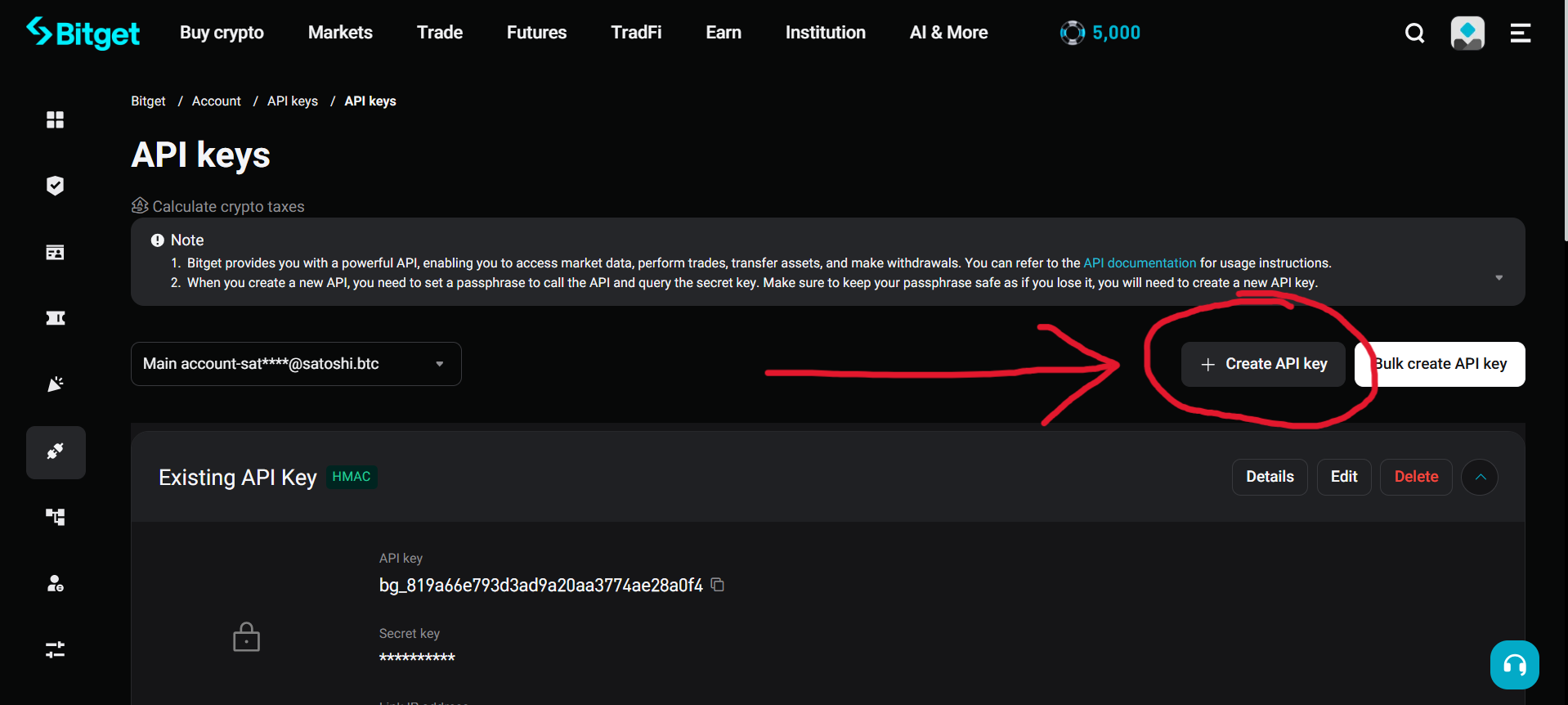
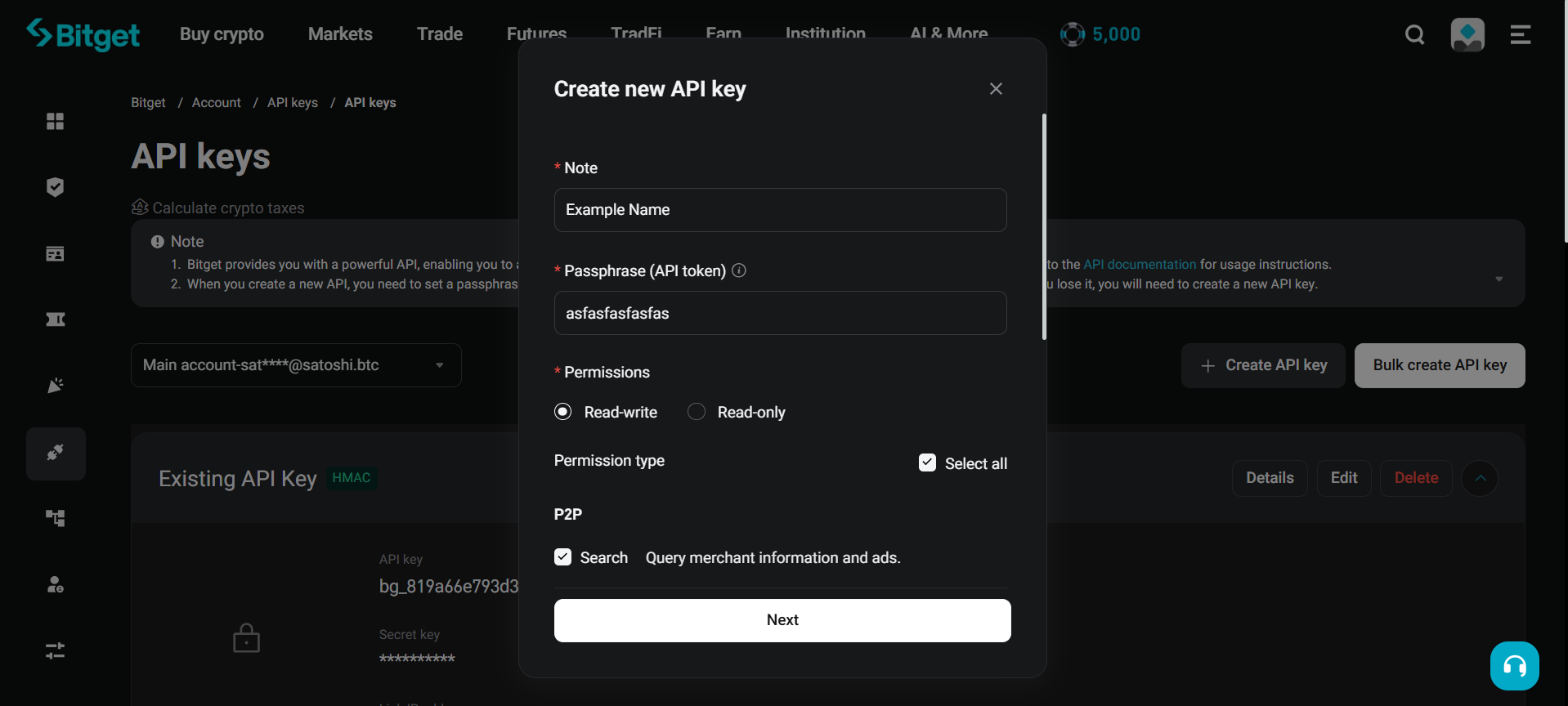
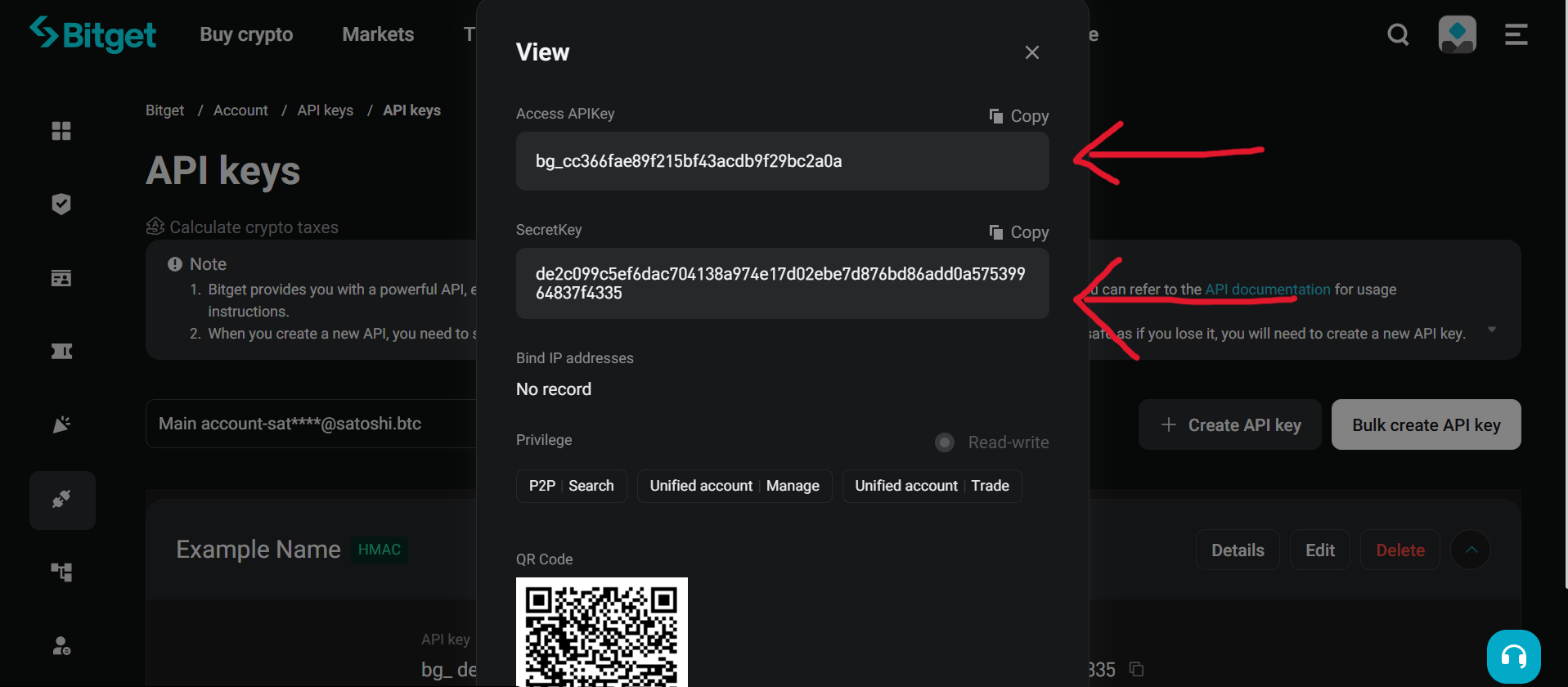
Authenticated calls need an access key, secret key, and passphrase from the Bitget API management page. You can get your API keys from the Bitget website:
| 1) Create API keys | 2) Set passphrase & permissions | 3) Copy API & Secret key |
|---|---|---|
 |
 |
 |
Environment Variables
export BITGET_ACCESS_KEY="your_access_key"
export BITGET_SECRET_KEY="your_secret_key"
export BITGET_PASSPHRASE="your_passphrase"
from typed_bitget import Bitget
async with Bitget.new() as client:
...Direct Usage
You can also pass credentials directly, bypassing the environment:
from typed_bitget import Bitget

async with Bitget.new(
  access_key="your_access_key",
  secret_key="your_secret_key",
  passphrase="your_passphrase",
) as client:
  ...
Public-Only Usage
For public endpoints only, skip credentials entirely:
from typed_bitget import Bitget

async with Bitget.new(public=True) as client:
  ...
Calling an authenticated method on a public=True client raises AuthError.
Security Notes
- never commit credentials to git
- restrict a key's IP allowlist and permissions to what you actually need
- keep trading and withdrawal permissions on separate keys