API Keys Setup
Private spot.account, spot.trading, spot.funding, and spot.earn methods, plus
streams.private and trading_ws, need a Kraken API key pair. Public market data
needs none.
Create An API Key
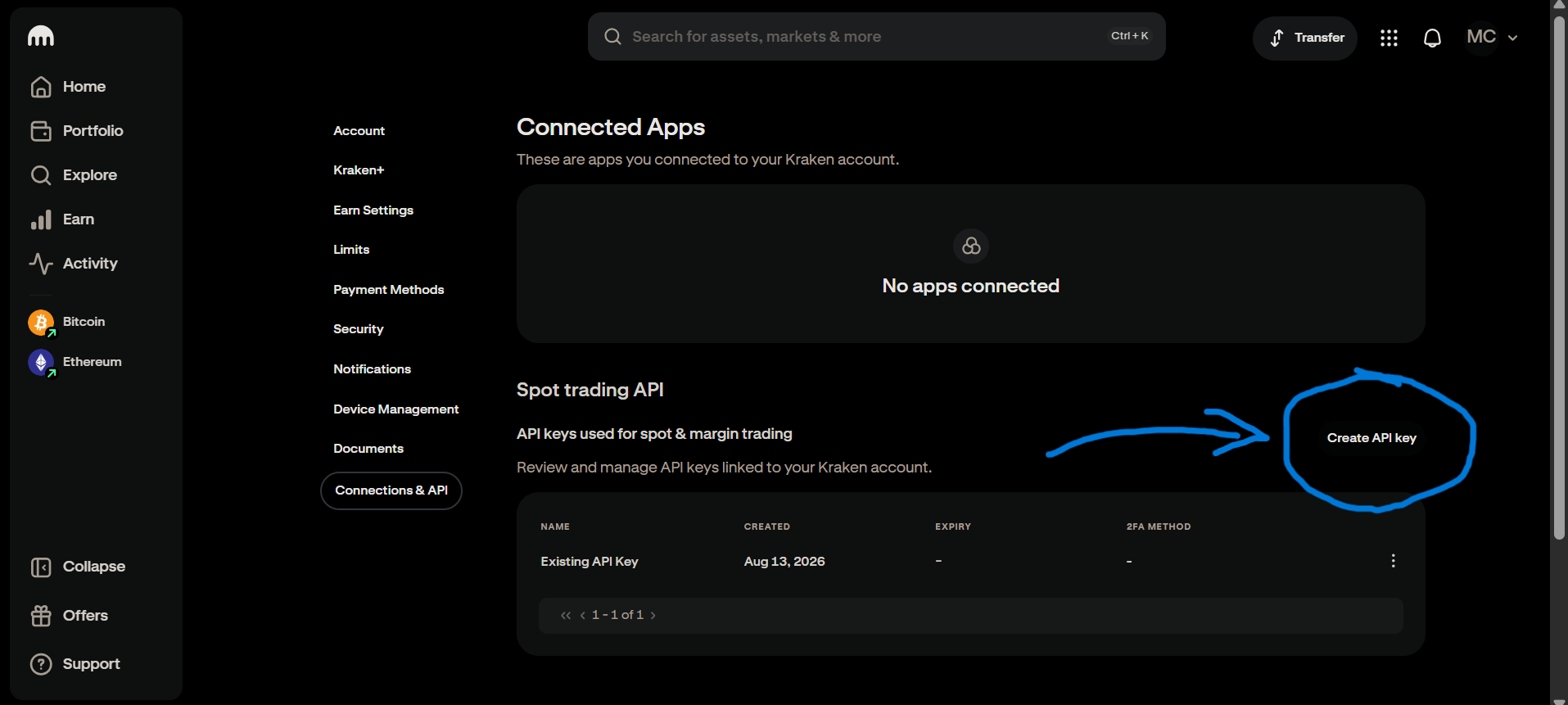
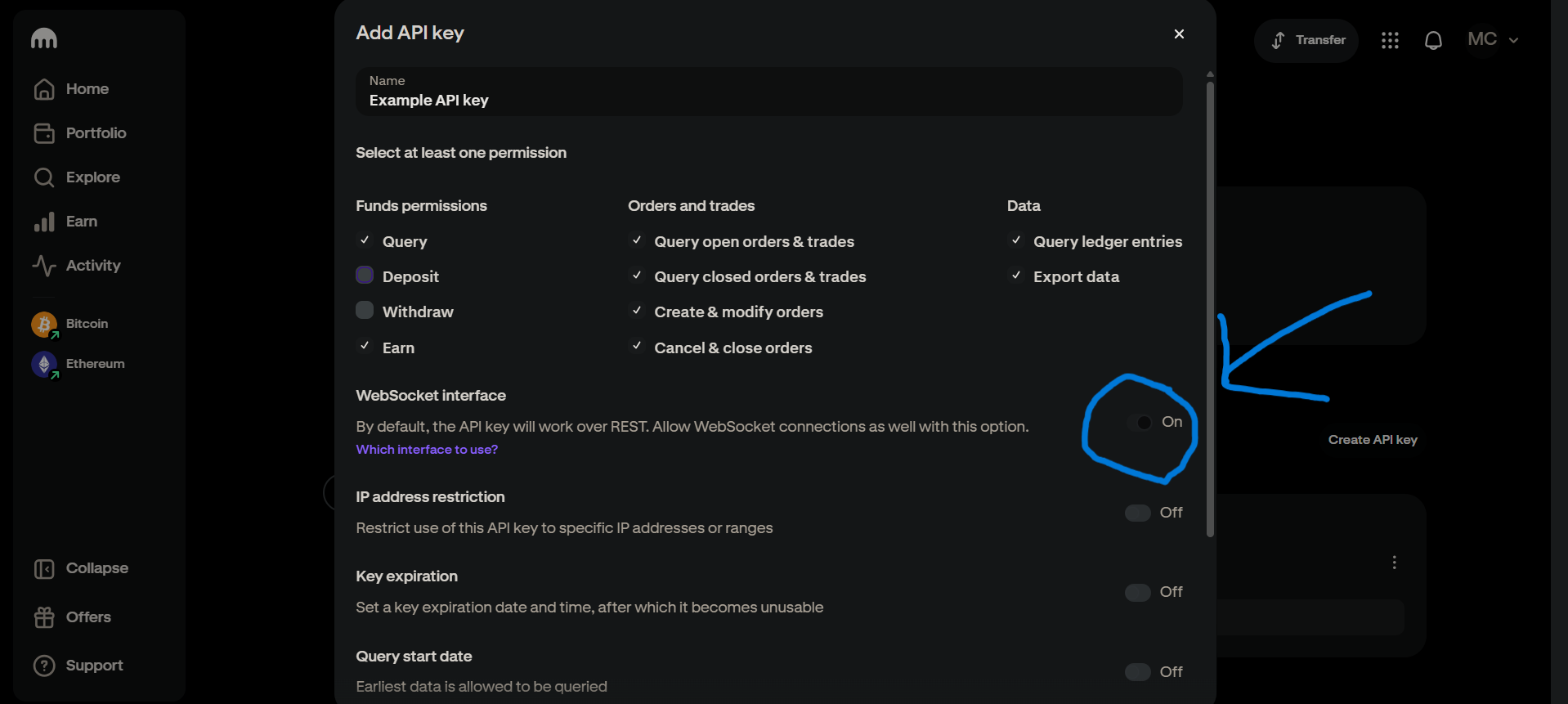
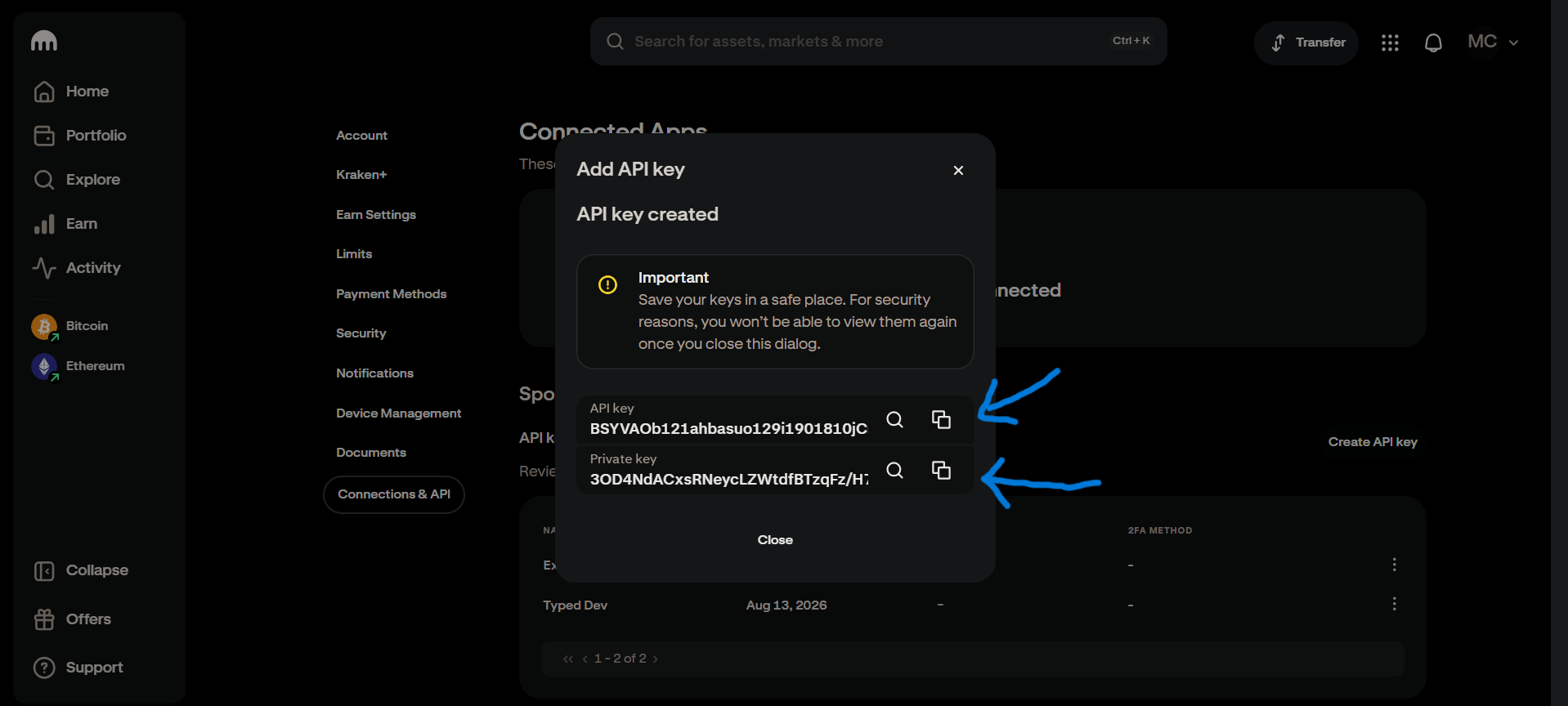
Generate a key pair from Kraken's API management page. Grant only the permissions your use case needs, and turn WebSocket on if you plan to use that:
| 1) Create API keys | 2) Select permissions & Activate WS | 3) Copy API & Secret key |
|---|---|---|
 |
 |
 |
Environment Variables
export KRAKEN_API_KEY="..."
export KRAKEN_PRIVATE_KEY="..."
With both set, Kraken.new() picks them up automatically:
from typed_kraken import Kraken

async with Kraken.new() as client:
  balance = await client.spot.account.balance()
  print(balance)
You can also pass them directly, which takes precedence over the environment:
from typed_kraken import Kraken

async with Kraken.new(api_key='...', private_key='...') as client:
  ...
Public-Only Usage
For a client that never authenticates -- no keys read from the environment, no
AuthError on private calls you never make -- pass public=True:
from typed_kraken import Kraken

async with Kraken.new(public=True) as client:
  ticker = await client.spot.market_data.ticker(pair='XBTUSD')
Withdrawal Addresses
If your key has withdrawal permission, Kraken also requires the destination address to be
pre-approved on the account -- spot.funding.withdraw takes an address key name, not a
raw address, and rejects anything not already whitelisted from the dashboard.