API Keys Setup
You can get your API keys from the KuCoin website:
| 1) Create API keys | 2) Set passphrase & permissions | 3) Copy API key & secret |
|---|---|---|
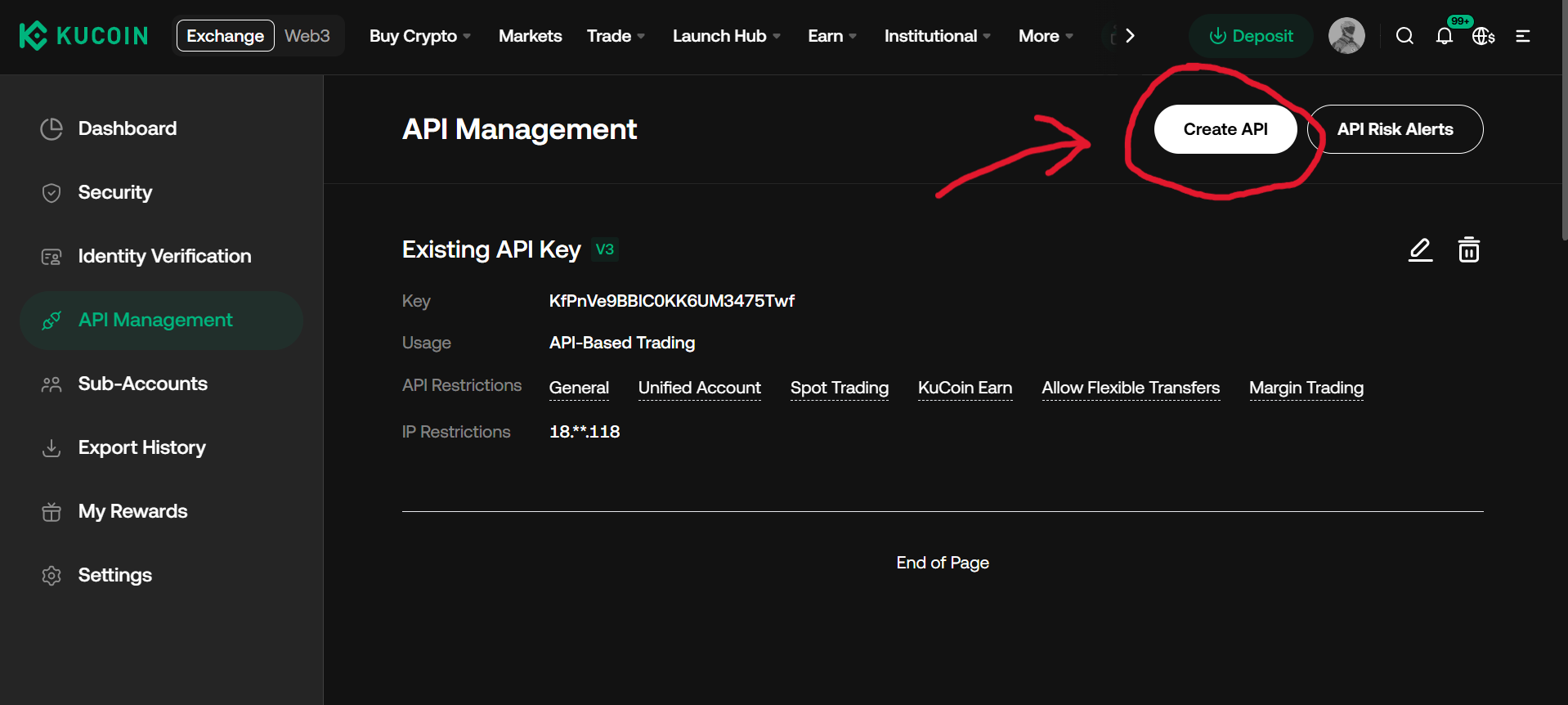 |
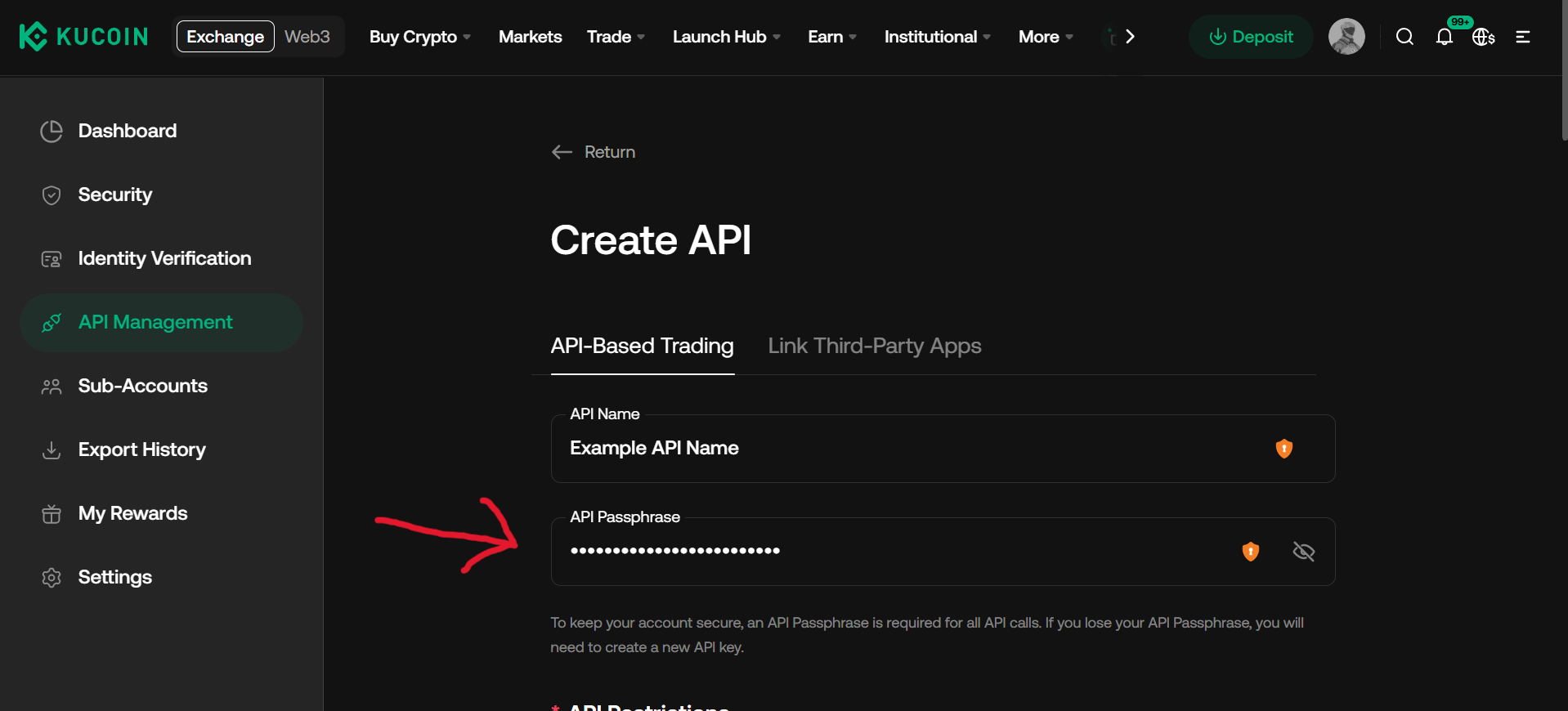 |
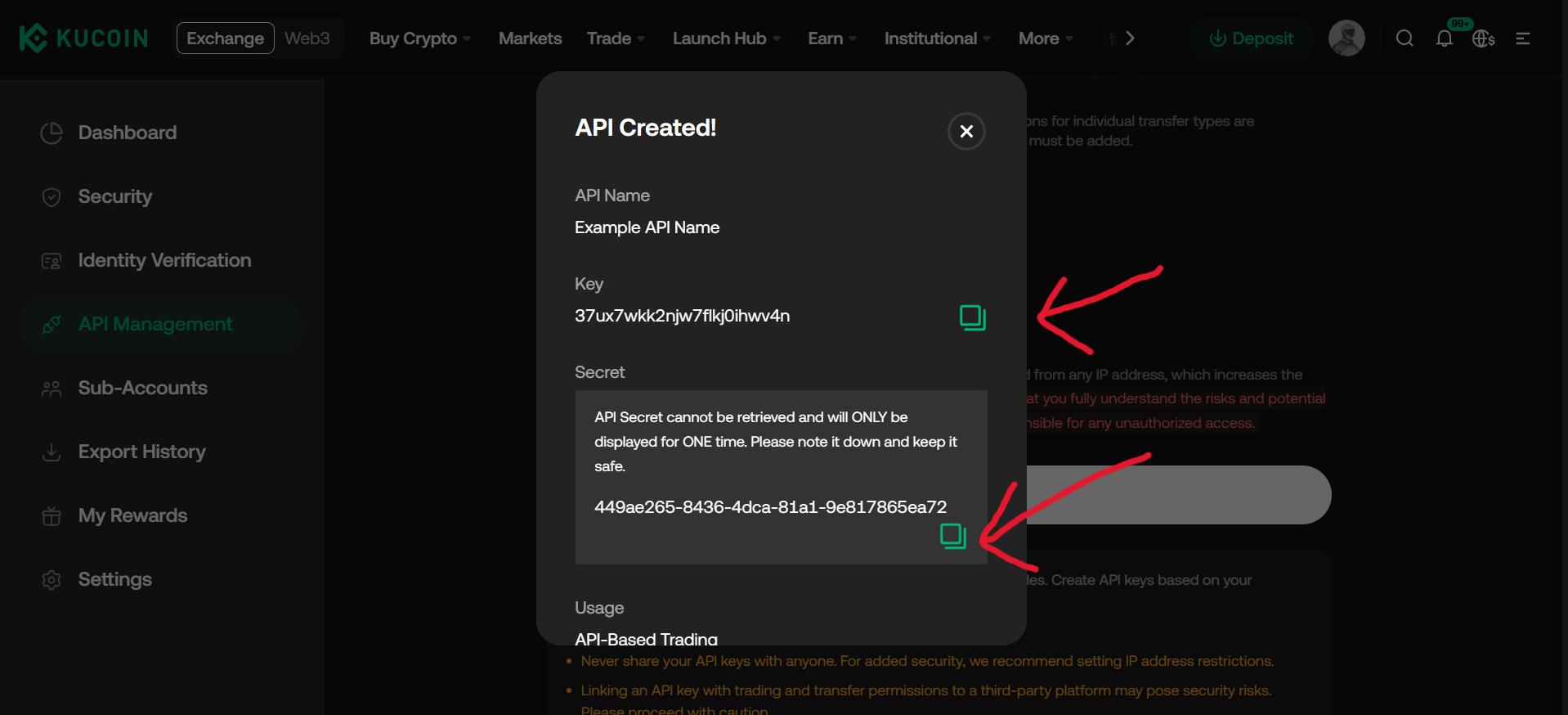 |
Environment Variables
KuCoin.new() reads credentials from the environment by default:
export KUCOIN_API_KEY="..."
export KUCOIN_API_SECRET="..."
export KUCOIN_API_PASSPHRASE="..."
from typed_kucoin import KuCoin
async with KuCoin.new() as client:
info = await client.account.user_info()
print(info)All three are required for an authenticated client — KuCoin signs every private request with the key, secret, and a passphrase that is itself HMAC-signed with the secret. See Environment Variables for the full list.
Passing Credentials Directly
from typed_kucoin import KuCoin

async with KuCoin.new(
  api_key='...',
  api_secret='...',
  api_passphrase='...',
) as client:
  ...
Public-Only Access
Market data, symbols, and server time don't need credentials. Pass public=True for a
client that never signs a request and works without any environment variables set:
from typed_kucoin import KuCoin

async with KuCoin.new(public=True) as client:
  ticker = await client.spot.ticker(symbol='BTC-USDT')
  print(ticker)
A public=True client raises AuthError on any private endpoint or private WebSocket
topic, rather than attempting an unsigned request.
Keeping Keys Safe
Never commit an API key, secret, or passphrase to git. Load them from an untracked
.env file or your environment's secret manager. If a key ever leaks, revoke it from
the KuCoin dashboard immediately — a leaked key with Trade permission can place real
orders on your account.