API Keys Setup
Create API Credentials
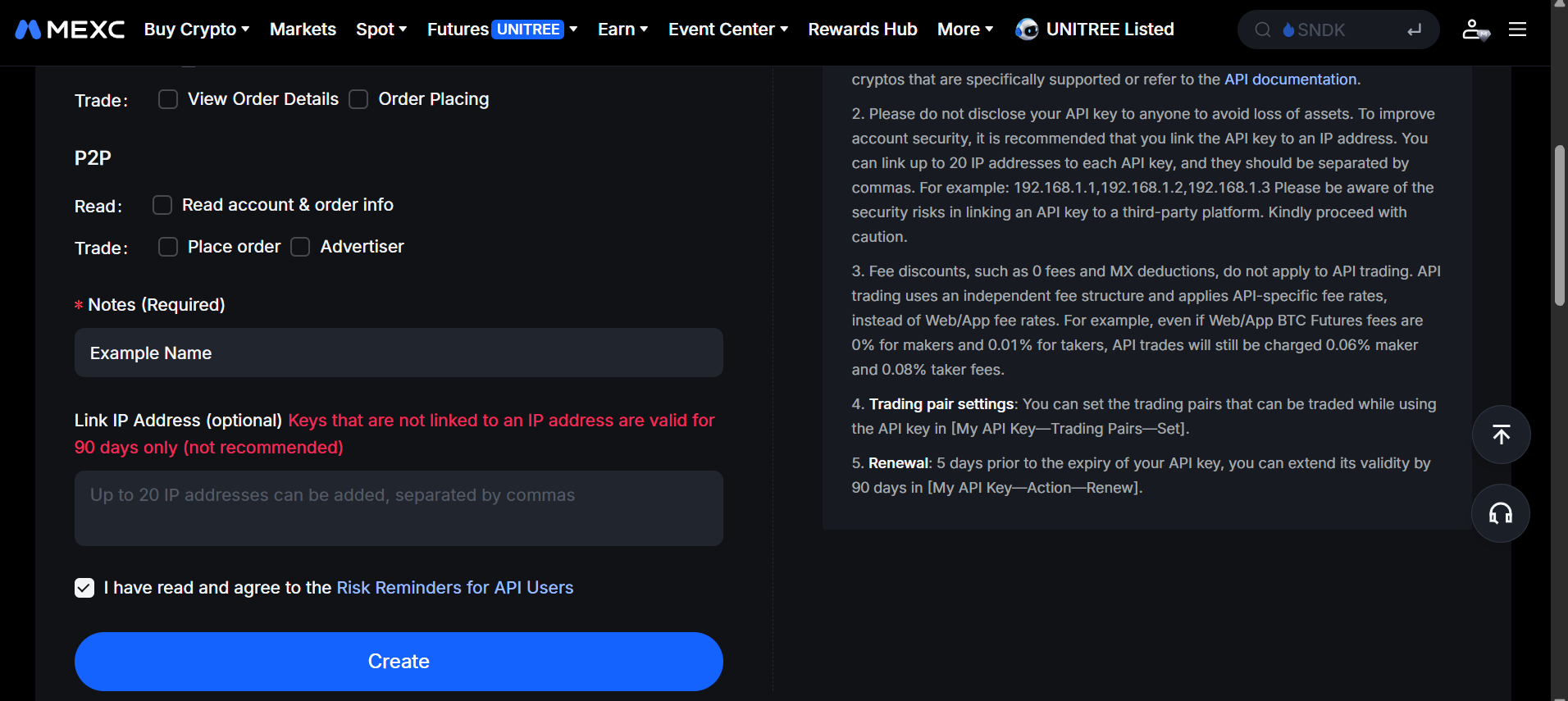
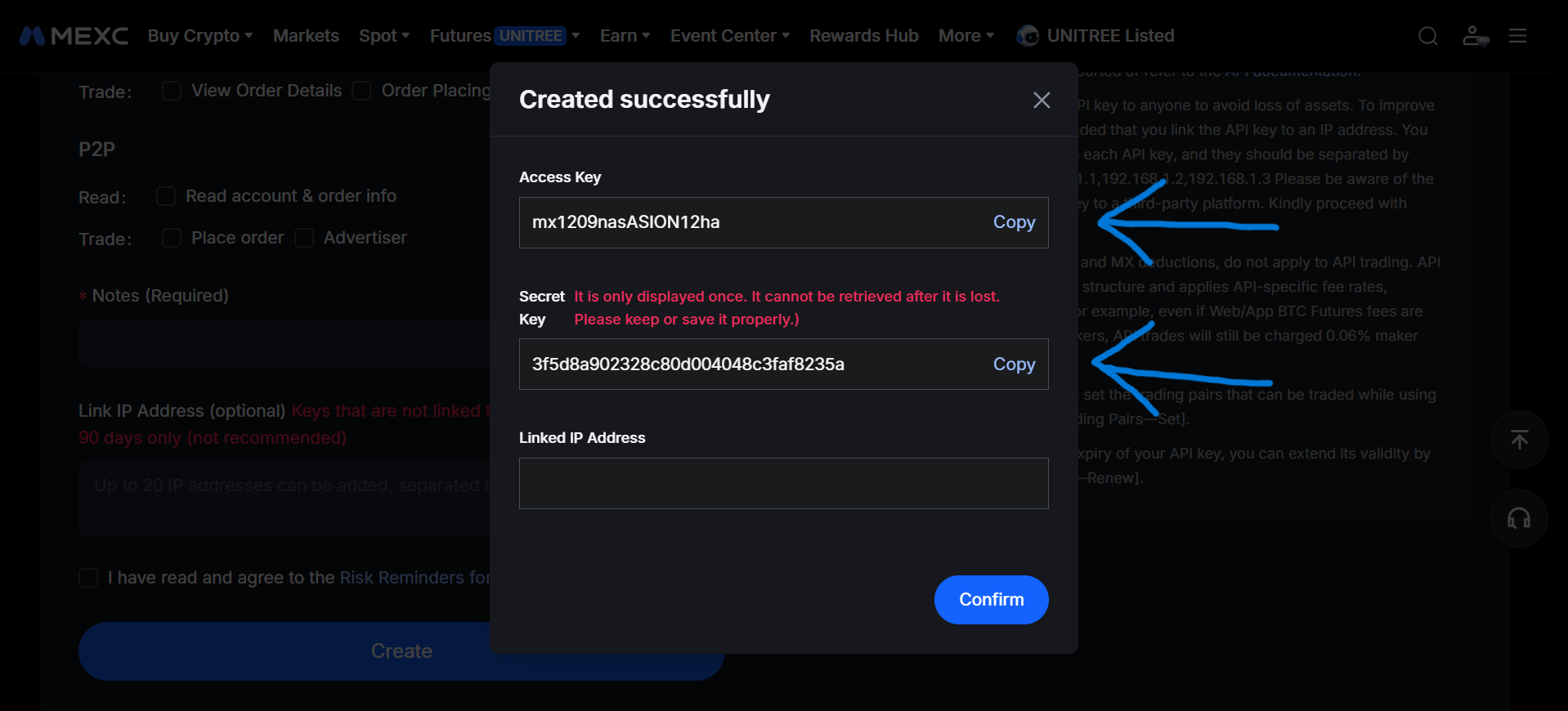
You can get your API keys from the MEXC website:
| 1) Create API keys | 2) Copy Access & Secret key |
|---|---|
 |
 |
Environment Variables
The recommended setup is environment variables:
export MEXC_ACCESS_KEY="your_access_key"
export MEXC_SECRET_KEY="your_secret_key"
Direct Usage
You can also pass credentials directly:
from typed_mexc import MEXC

async with MEXC.new(
  api_key="your_access_key",
  api_secret="your_secret_key",
) as client:
  account = await client.spot.account.info()
  print(account['accountType'])
Security Notes
- Never commit credentials to git, issue trackers, logs, notebooks, or shared terminals.
- Prefer read-only keys for development and documentation examples.
- Use separate keys for production automation, manual trading, and local experiments.
- Keep withdrawal permission disabled unless the exact workflow requires it.
- Keep futures trading permission separate from spot read access where your account setup allows it.
- Restrict production keys by IP before enabling trading permission.
- Rotate credentials after any suspected leak or after using them on an untrusted machine.
- Keys without an IP whitelist expire after 90 days on MEXC.
Troubleshooting
If authenticated requests fail:
- Confirm the key has the required permissions.
- Confirm your environment variables are loaded.
- Confirm your IP whitelist configuration on the MEXC side.
- Check Error Handling for the client error model.